

Introduction
A webcam is a small digital camera designed to capture images and videos and transmit them over the internet in real time. Webcams are widely used for video conferencing, online communication, surveillance, and live streaming. Most modern laptops and personal computers come with built-in webcams. However, external webcams are also available and are often preferred for better video quality and advanced features.
External vs Embedded Webcams
Embedded Webcams
Embedded webcams are built directly into devices such as laptops, tablets, and monitors. These webcams are compact in size and convenient because they do not require additional hardware or setup.
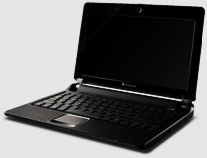


However, due to their small size, embedded webcams usually cannot include multi-piece lenses or advanced optical components. As a result, the image quality may be lower compared to external webcams. Embedded webcams are also limited in terms of positioning and viewing angles because they are fixed within the device.
External Webcams
External webcams are separate devices that connect to computers using USB or other connections. They generally provide higher image quality because they can accommodate larger and more advanced lenses.
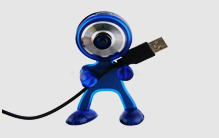

External webcams can capture wider areas and are suitable for group video calls or conferences. They can also be positioned easily to achieve the desired viewing angle. Other differences between embedded and external webcams include cost, lens quality, stereo sound capability, light sensitivity, and device certification.
Working of a Webcam
A webcam works similarly to a digital camera but is specifically designed to communicate with websites and internet-based applications. It captures real-time images using a small grid of light detectors called a Charge-Coupled Device (CCD). The CCD converts light into digital signals that the computer can process.
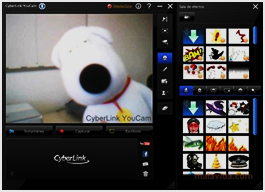

Unlike regular digital cameras, webcams usually do not have internal storage for saving images. Instead, the captured data is transmitted directly to the host device through USB or another connection. Some webcams also include built-in microphones that allow users to record audio during video calls or streaming.
The webcam performs two main tasks:
- Capturing images or video
- Transmitting the captured data to the connected device
Webcams come with dedicated software that helps the computer communicate with the camera. This software allows users to adjust images, record videos, and manage video settings. The software collects digital data from the camera at regular intervals. The number of images displayed per second is determined by the frame rate.
The program receives image frames from the digital camera, converts them into JPEG files, and transfers them to a website using protocols such as File Transfer Protocol (FTP). Before using a webcam on the internet, certain configuration steps are usually required to enable image and video transmission.
Selection of a Webcam
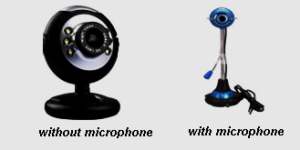

Before purchasing a webcam, it is important to evaluate several key features to ensure it meets your requirements.
Megapixels
Megapixels determine the quality of the captured image or video. Most webcams provide acceptable image quality with resolutions such as 320 × 240 or 640 × 480. However, a good quality webcam should support a resolution of at least 1280 × 720 (HD).
FPS (Frames Per Second)
FPS determines how smoothly the image moves on the screen. A minimum of 15 FPS is required for basic video communication. For smooth video streaming, 30 FPS is recommended, provided that sufficient internet speed is available.
Face Recognition
Some modern webcams include face recognition features that allow digital zoom, automatic tracking, and camera adjustments while keeping the user’s face centered on the screen.
Microphone
Many webcams include built-in microphones that allow voice recording during video calls or online meetings. The microphone quality depends on the design and intended usage.
Portability
A webcam should be portable and easy to position on a monitor, laptop screen, or wall mount. A simple design allows users to place the webcam in the most suitable position.
Type of Lens
Modern webcams use either glass lenses or plastic lenses. Glass lenses generally provide better image clarity, while plastic lenses are more affordable.
Low-Light Performance
If the webcam is used in low-light environments or at night, it should include features that improve image quality in dim lighting conditions.
Applications of Webcams
Security in Buildings and Offices
Webcams are used in buildings, offices, and shopping malls to monitor unauthorized access and detect suspicious activities.
Banking Industry
Banks install webcams in different areas to enhance security. Recorded video data is stored on servers for future analysis and investigation.
Video Conferencing
Webcams enable face-to-face communication during online meetings and video conferences. They support both individual and group communication.
Astronomy and Space Observation
Webcams are used in space-related applications to capture images of satellites and other celestial objects. They are sometimes installed on spacecraft to photograph planets and space environments.
Robotic Engineering
In robotics and defense applications, webcams are used in hazardous areas to transmit live visual data to control centers.
Home Security Systems
Webcams can be used in home security systems to monitor visitors and surroundings. Motion detection features can trigger alarms and start video recording automatically.
Input Control Devices
Webcams can also function as input devices in applications and games that require motion detection. They can detect colors, shapes, and movements to control software actions.
Traffic Monitoring
Webcams are installed on highways and parking areas to monitor vehicle movement, traffic conditions, and parking availability. They can also capture vehicle number plates when required.